
Ledo is your AI business intelligence partner.
Updated October 7, 2026. We first published this post in January 2026 and have rewritten it to reflect what Ledo does today.
The Short Answer
Ledo AI CRM is the intelligence that runs LeadMachine, an AI CRM for small sales teams. It finds prospects, captures inbound leads, researches each one, and grades it from A through D without being asked. When you open the app, Ledo shows you the single most important action to take next. You can also run your pipeline by text message, and every feature is included for $58 per user per month.
Ledo at a Glance
| What Ledo does | Feature | When it happens |
|---|---|---|
| Finds new prospects from a plain-English description | Discovery | When you search |
| Pulls in leads from forms, ads, and stores | Lead Capture | The moment a lead arrives |
| Researches the person and the company | Enrichment | Within minutes, automatically |
| Grades every lead from A through D | Lead Scoring | Continuously, refreshed nightly |
| Shows one prioritized action at a time | Focus Mode and Focus cards | When you open the app |
| Builds and coaches your sales pipeline | Deal Flow | As deals move |
| Prepares you for every meeting | Meeting Briefs | Before each call on your calendar |
| Updates your CRM from a text message | Agentic SMS | Whenever you text, after you opt in |
| Sends nurture emails at each contact's best hour | Email Campaigns | On each lead's schedule |
| Ties closed revenue back to the ad that started it | Ad Attribution | When a deal closes |
What Changed Since January
In January, Ledo was an assistant you opened and asked for things. You clicked a button to enrich a lead, typed a question into a chat window, and Ledo answered. That version was useful, but it still waited for you to start every interaction.
Over the past nine months, Ledo has moved in the other direction. Most of its work now happens before you ask, and what reaches you arrives as one clear next step. This post walks through what that looks like across a normal working day.
The shift comes from the principle behind everything Ask Ledo LLC builds. We call it Calm Intelligence, which means the system processes complexity before it reaches the person using it. Our founder, Jay Thornton, calls that person the Calm Operator. A Calm Operator is not passive or slow. They are decisive because the system around them has already done the sorting.
Every feature below was built against one question, and a few ideas were cut because of it: does this leave you more clear-headed, or more overwhelmed?
Who Is Ledo AI CRM Now?
Ledo is the AI that runs LeadMachine. In January we called it an assistant built into the CRM, which no longer describes it well. Every AI capability in the product runs through a single Ledo layer, so enrichment, scoring, prioritization, drafting, and pipeline updates are all Ledo doing the work.
You can talk to Ledo in plain language in the app or by text message, and it acts on what you tell it. What separates Ledo from a chatbot is judgment about timing. It decides when something is worth your attention and stays quiet when it is not. For more on how this differs from a traditional CRM, read What Is an AI-First CRM? and What Is a CRM in the Age of AI?
Ledo also gets smarter over time through the Ledo Knowledge Center. The Knowledge Center collects signals that contain no user data, such as which enrichment tactics or campaign structures worked, across industries and job types. Validated patterns become learnings Ledo draws on, so a new customer in your field benefits from what worked for others without anyone's data being shared.
Before You Open the App
The biggest change since January is how much of Ledo's work now happens while you are doing something else. By the time you sit down, your leads have been found, captured, researched, and graded.
Discovery finds new prospects for you
Discovery lets you describe your ideal customer in a sentence, such as "roofing companies in Austin that posted about storm damage." Ledo searches professional email databases and public social activity in parallel, then ranks every match by relevance. Each result shows the post that matched your search, so you can see why the prospect was chosen. When you add prospects to your leads, enrichment starts on its own, and you can save searches you run often.
If lead volume is your main concern, How to Get More Leads? Start With the Four Levers You Already Paid For covers what to check before you go looking for more.
Lead Capture brings in every inbound lead the moment it arrives
Lead Capture connects to the forms, ads, and stores you already run. That includes WordPress and Gravity Forms, embeddable web forms, Webflow and Netlify sites, Facebook Lead Ads, Google Ads lead forms, LinkedIn, and Shopify. You connect each source once, and new leads arrive in real time without CSV imports.
Capturing a lead quickly is only valuable if you respond quickly too. Speed to Lead: Makers vs. Takers in the AI Arms Race explains why the first few minutes matter so much.
How does Ledo enrich leads automatically?
In January, enrichment meant clicking "Ledo Enrich" and approving suggestions. That step is gone because it was no longer needed. Enrichment now runs in the background within minutes of a lead being created.
Ledo works through a waterfall of sources. It checks Hunter.io for a professional email, falls back to Apollo.io, and uses Google Places for local business addresses and phone numbers. It adds company industry, size, estimated revenue, location, and a plain-English description of what the company does. If no email turns up, the lead is tagged so you know to reach out another way.
The waterfall also makes its own decisions. It skips sources that have not produced results before, respects daily budget caps, and puts hot leads first. Our earlier post on CRM AI enrichment covers the concept in more depth.
How does Ledo score leads?
Lead Scoring assigns every lead a letter grade from A through D. The grade weighs five dimensions, including fit, engagement, recency, and enrichment quality, and Ledo shows the reasons behind it. Grades update as leads engage, go quiet, or gain new data, so the strongest opportunities rise to the top on their own.
When You Open the App
Most CRMs greet you with a wall of charts and leave the deciding to you. LeadMachine greets you with a decision that has already been made.
Focus Mode shows you one action at a time
Focus Mode replaces the dashboard with the single most important thing to do right now. Ledo reads your scores, task due dates, lead status, and timing, then shows one name, the reason it matters, and the action to take. When you finish it, the next one appears. Your phone and your desktop each keep their own Focus Mode, so you can work at whatever rhythm each device suits.
The decision to show one action instead of ten was deliberate. The logic behind the choice is sophisticated, and the interface hides that on purpose. Jay explains the reasoning in We Didn't Redesign a Dashboard. We Removed One.
Focus cards replace the daily briefing
Ledo Says, the daily briefing from earlier versions, has been replaced by the cards on the Focus screen. Each card holds one action and the context behind it, so Ledo's guidance shows up where you already work rather than in a separate summary. One card you act on is worth more than a list you scroll past.
Deal Flow builds your pipeline from a conversation
Deal Flow is a drag-and-drop pipeline with stages, values, probabilities, and close dates. You tell Ledo how your sales process works, and it builds the stages for you. You can run separate pipelines for new sales, onboarding, and upsells, link several contacts to one deal, and trigger automations when a deal changes stage. Ledo also coaches you on deal health so you can spot stalled deals early.
Meeting Briefs prepare you before every call
Meeting Briefs use a two-way Google Calendar sync to match each attendee to their lead record. Before the call, Ledo compiles enrichment data, recent notes, open deals, and suggested talking points into a brief you can read in about a minute.
Ask Ledo, and let it act
You can still ask Ledo questions in plain English, such as "Who should I call first today?" or "Which customers haven't ordered in 90 days?" You can also ask it to do things. Tell Ledo to move a deal, assign a lead, or create a task, and it makes the change for you.
When You Are Away From Your Desk
A lot of selling happens in a truck, on a job site, or in the five minutes after a call. Ledo is built to work in those moments too.
Can you run a CRM by text message?
With Agentic SMS, you text Ledo the way you would text a colleague. A message like "just quoted the Johnsons $4k, follow up Friday" updates the lead and creates the task. Once you opt in, the exchange is fully conversational. Ledo confirms what it did and asks a follow-up question when it needs a detail. You can move deals, add tags, create tasks with due dates and priorities, and ask for a plain-English recap of your pipeline in the morning. Notes captured right after a call are the accurate ones, and texting makes them easy to capture.
For a broader look at AI that acts on your behalf, see The 2025 Guide to Agentic Workflows and Pipeline Velocity.
The mobile app installs without an app store
LeadMachine runs as a progressive web app on your phone, tablet, or desktop. You add it to your home screen from the browser, and it opens like any native app. Push notifications let you know about hot leads and due actions, and every device always runs the latest version. If you are new to the format, Google's guide to progressive web apps explains how they work.
Email Campaigns keep leads warm while you work
Email Campaigns send welcome, nurture, and newsletter sequences on their own. Leads enroll automatically when they pick up a trigger tag. Ledo can send each message at the hour that contact is most likely to engage, rather than at one fixed time for everyone. You can also pull nurture content straight from your WordPress blog.
Follow-up is where most marketing quietly breaks down. We wrote about that in Gary Vee's Marketing Formula Works. Your Follow-Up Is Why It Doesn't.
Knowing Which Marketing Actually Paid Off
This section did not exist in January. Ledo now connects your ad spend to the revenue it produced.
Ad Attribution ties closed deals to the ad that started them
Ad Attribution captures the Google click ID when a lead submits a form and keeps it on the record through your whole pipeline. When the deal closes, LeadMachine sends the revenue back to Google Ads as an offline conversion, and does the same for LinkedIn through its Conversions API. You see spend and closed revenue side by side, campaign by campaign.
This matters because an ad platform optimizes toward whatever you feed it. If you feed it form fills, it finds more people who fill out forms. If you feed it closed revenue, it finds more customers.
AdMachine adds managed Google Ads with a human in the loop
For trades and local service businesses, AdMachine is our managed Google Ads service. Ledo proposes campaign changes, an experienced operator reviews and approves each one, and every change is logged. Nothing runs on autopilot. Plans start at $799 per month and include LeadMachine seats, and your ad budget is paid directly to Google, so the account and its history stay yours. You can see the full Local Service Bundle at Ask Ledo.
It Works With What You Already Run
Ledo comes to your data rather than asking you to move it. LeadMachine now connects to 17 tools, and every integration is included at every seat.
The Shopify integration has grown the most. It runs inside your Shopify admin as an embedded app with its own Ledo chat. Every night it scores customers by purchase behavior and places them into segments such as Champion, Loyal, At Risk, and Lost. It also tags customers automatically, recovers abandoned checkouts, keeps marketing consent in sync, and surfaces reorder and re-engagement opportunities.
On the payments side, LeadMachine tracks revenue from Stripe, Authorize.net, PrestaShop, and DecoNetwork alongside your leads. Mailchimp and Birdeye handle email marketing sync and review requests.
If your team already lives in HubSpot, our HubSpot integration is in limited beta. It lets Ledo source new leads and enrich the contacts you already have while HubSpot stays your system of record. Jay explains why in Your AI CRM Shouldn't Require You to Abandon Your CRM.
What We Chose Not to Build
Calm Intelligence is as much about what stays out of the product as what goes in. Adding a notification is easy, while deciding that a notification is not worth the interruption takes a standard. Ours is that every interaction with Ledo should leave you more clear-headed than before it.
That standard has cut ideas we liked. We dropped a planned daily performance score because it would have been one more number to interpret. We have declined to build sales leaderboards because they pull attention toward a ranking and away from the customer. You will not find either in LeadMachine, and that is intentional.
Jay wrote about this in more detail in Calm Intelligence Is Not a Feature. It's a Discipline.
Privacy and Pricing
Ledo works only with the data in your own LeadMachine account. For full details on how your data is collected, used, and protected, our Privacy Policy, Terms of Service, and Trust Center are the authoritative sources.
LeadMachine costs $58 per user per month. That price includes every AI feature, every integration, unlimited leads, and no usage caps on Ledo. The 14-day free trial does not require a credit card. More answers are on our FAQ page.
What Comes Next
The intelligence that runs LeadMachine was built to work outside it. We call the next phase Ledo Everywhere, and it brings the same layer to other platforms through an SDK and API. Our first proof of concept, MW vs Machine, uses Ledo to predict NASCAR races by running 10,000 simulations and returning a single clear pick. You can try MW vs Machine for yourself.
As Ledo reaches further into your business, the standard stays the same: one clear signal at a time, with everything else handled quietly. The full roadmap is in From AI CRM to Calm Intelligence: The Three-Phase Vision Behind LeadMachine.
Getting Started
- Start your 14-day free trial.
- Connect one lead source, such as your website form or Shopify store, and let Ledo enrich and grade what comes in.
- Open Focus Mode and take the first action it gives you.
- Opt in to SMS and text Ledo after your next call.
If you would rather see it first, you can book a demo.
Frequently Asked Questions
What is Ledo AI CRM?
Ledo is the AI that runs LeadMachine, an AI CRM for small sales teams built by Ask Ledo LLC. Every AI capability in the product runs through Ledo, including enrichment, lead scoring, prioritization, meeting briefs, and pipeline updates. You can talk to it in the app or by text, and it takes action on your behalf.
What does Ledo do without being asked?
Ledo captures new leads from your connected sources, researches each one, grades it from A through D, and decides which action matters most right now. It also prepares meeting briefs and sends email sequences at each contact's best hour.
How is Ledo different from a chatbot?
A chatbot answers questions from a help database. Ledo works directly in your CRM data, makes changes when you ask, and decides what is worth your attention before you ask.
What is Calm Intelligence?
Calm Intelligence is the design principle behind every Ask Ledo LLC product. The system processes complexity before it reaches the person using it, and surfaces only what is specific and worth acting on. The goal is that every interaction leaves you more clear-headed than before it.
What happened to Ledo Says?
Ledo Says was replaced by the cards on the Focus screen. Each card shows one action with the context behind it, so guidance appears where you already work instead of in a separate daily summary.
Can I use Ledo without opening the app?
Yes. Once you opt in to SMS, you can text Ledo to update leads, move deals, create tasks, and get a morning recap of your pipeline. LeadMachine also installs on your phone as a web app with push notifications.
Does Ledo work with Shopify?
Yes. Ledo runs inside your Shopify admin as an embedded app with its own chat. It segments customers nightly by purchase behavior, tags them automatically, recovers abandoned checkouts, and surfaces reorder opportunities.
Does LeadMachine work with HubSpot?
A HubSpot integration is in limited beta. It lets Ledo source and enrich contacts while HubSpot remains your system of record.
What is the Ledo Knowledge Center?
The Ledo Knowledge Center collects signals that contain no user data across industries and job types. Patterns that prove out become learnings Ledo uses to give better answers, so new customers benefit from what worked for others without anyone's data being shared.
How much does LeadMachine cost?
LeadMachine is $58 per user per month with every AI feature and integration included and no usage caps. The 14-day free trial does not require a credit card.
Related Reading
On LeadMachine.fyi
- AI CRM: Why LeadMachine Is the #1 Choice for 2026
- What Is an AI-First CRM?
- How to Get More Leads? Start With the Four Levers You Already Paid For
- Speed to Lead: Makers vs. Takers in the AI Arms Race
- Every LeadMachine feature
On jaythornton000.com
- The Calm Operator
- Calm Intelligence Is Not a Feature. It's a Discipline.
- Ledo Everywhere: What Phase Two of Ask Ledo LLC Actually Means
On askledo.com
Professional Plan
$58 /user/month
Billed Monthly. No hidden fees.
Unlimited Leads. Unlimited Ledo.
Our Latest Posts
Your Dead Pipeline Isn’t Dead: How to Revive Stalled Deals Without Adding Noise
The fastest way to revive stalled deals is to stop treating them as lost and start treating them as interrupted. Most of the deals sitting quietly in your CRM never ended with a no. They ended with...

Gary Vee’s Marketing Formula Works. Your Follow-Up Is Why It Doesn’t.
Gary Vaynerchuk's marketing formula is simple. Make a strong video and target it well, get a large audience to watch it, then remarket to the people who watched with a clear call to action. It...
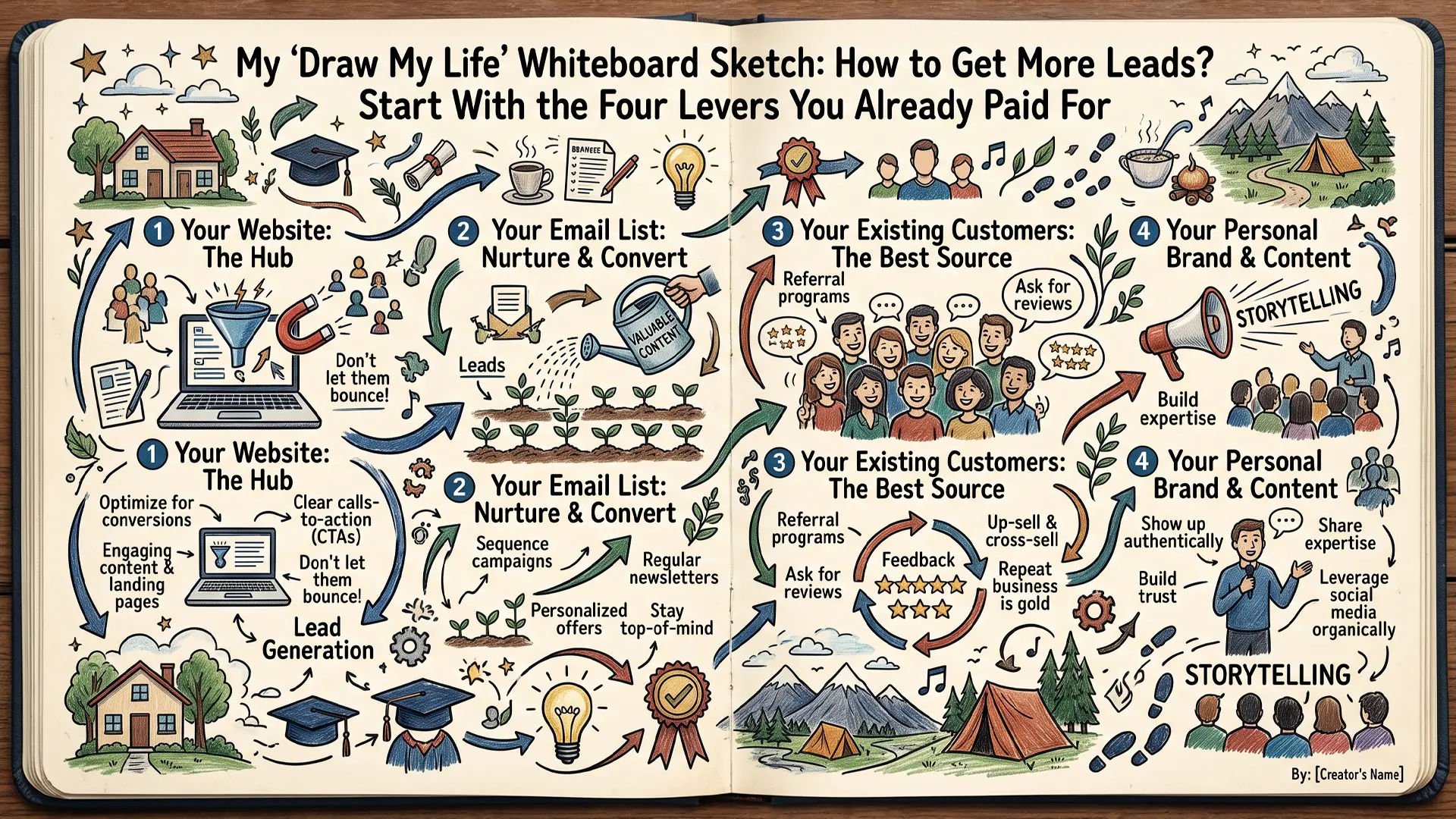
How to Get More Leads? Start With the Four Levers You Already Paid For
Most small business owners who ask how to get more leads do not have a lead problem. They have a follow-up problem, a pricing problem, a repeat-customer problem, or a margin problem, and buying more...